desigma by DeepFounder AI
Open-source design tool · by DeepFounder AI

The design tool you actually own.

desigma is an independent, local-first design tool built entirely in Rust. Frames, auto layout, components, prototyping, live collaboration, keyframe motion, whiteboards, decks and real Figma file import — in a native desktop app. Free, offline, and yours to change.

100% Rust macOS · Windows · Linux MIT / Apache-2.0 Early alpha
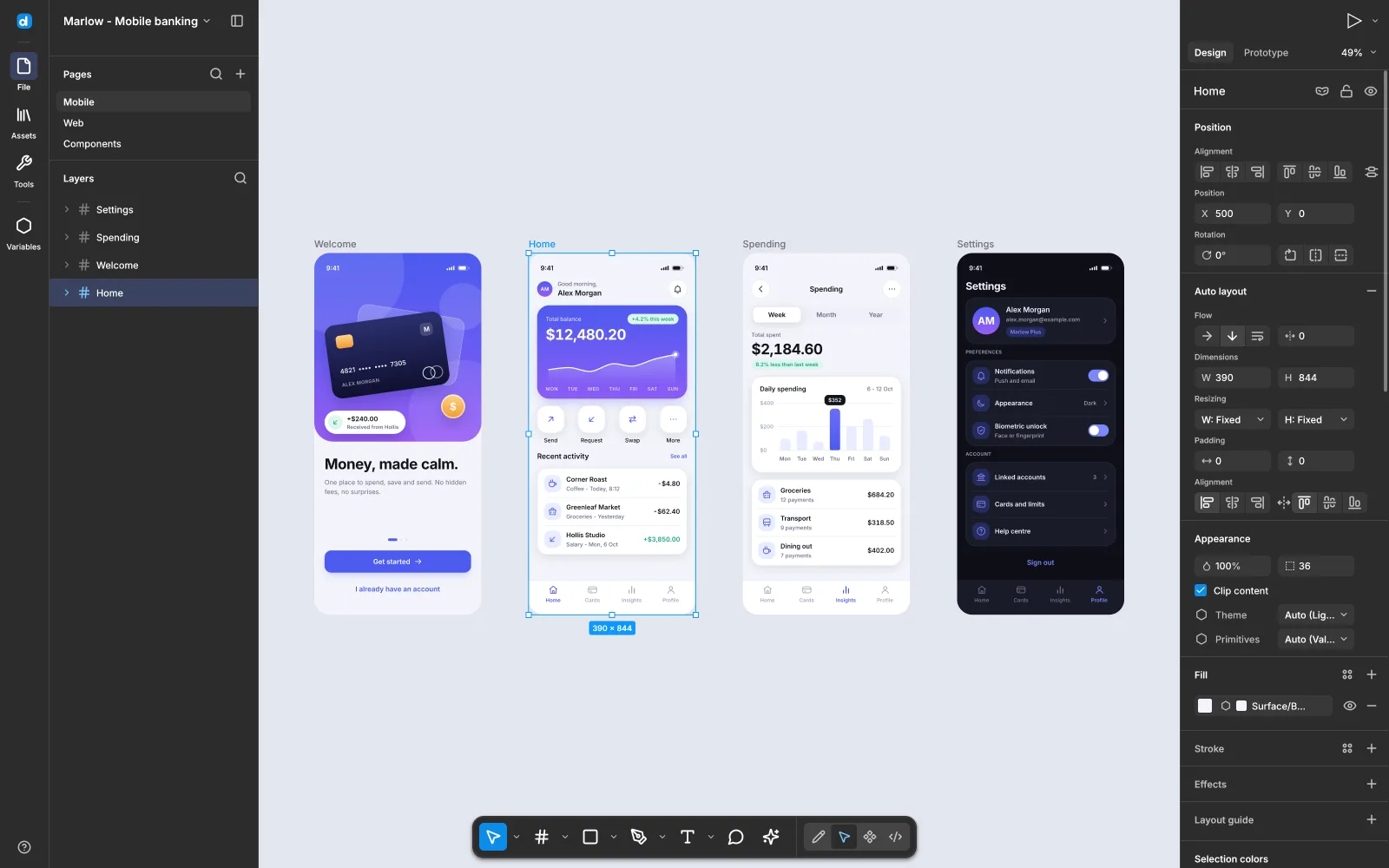
The desigma editor on the showcase file: four phone screens built with auto layout and components, the Home frame selected and the inspector showing its vertical auto layout
The editor on the built-in showcase file — four 390×844 screens with auto layout, components and a Dark variable mode.
100%
Rust, no Electron
1,600+
Tests
41
Motion presets
16
MCP tools
$0
Forever, offline
Why desigma
01

Familiar by design

Familiar workflows and shortcuts, from F for Frame to Shift+A for auto layout — on an editor interface of its own.

02

Native and fast

A deterministic CPU renderer on tiny-skia, a spatial index and a parallel tile cache. Panning a 5,000-layer page stays well under a frame.

03

Figma files in

Open .fig files and Figma REST JSON with components, instance overrides, styles, prototype links — even FigJam boards and Motion data.

04

Open fonts, built in

Inter ships inside the binary. Other open families are fetched from Fontsource and cached; proprietary fonts map to metric-compatible alternatives.

Features

Everything you design with, in one native app.

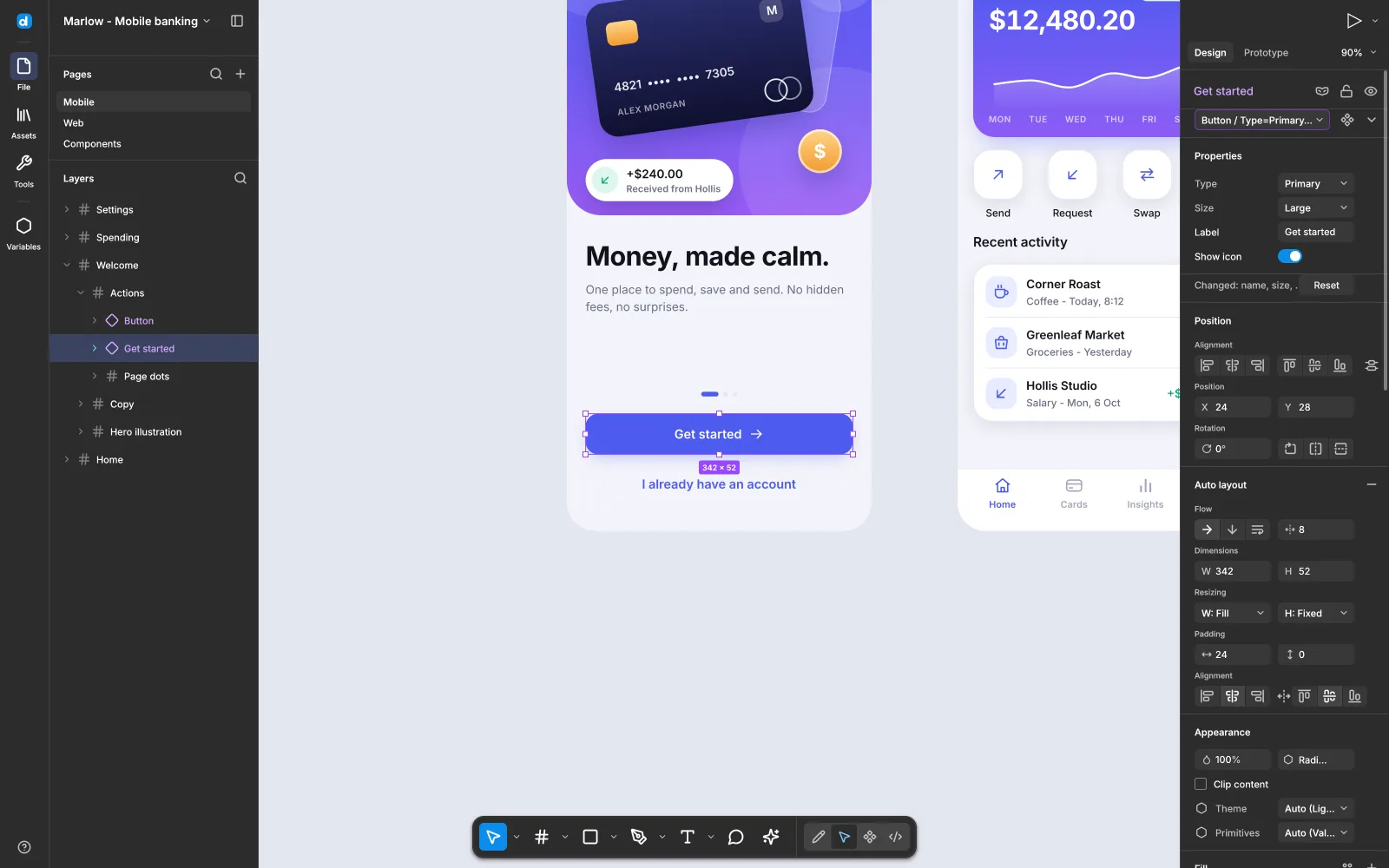
A Button instance selected: the inspector shows Type and Size variant pickers, a text property, a boolean toggle and an override reset
Components

Components that stay in sync

Turn any layer into a component with Ctrl+Alt+K, drop instances from Assets, and edit the main — every instance updates in one undo step while keeping its own overrides.

  • Boolean, text, variant and instance-swap properties
  • Combine as variants, go to main, reset, detach
  • Shared libraries with a review step on new versions
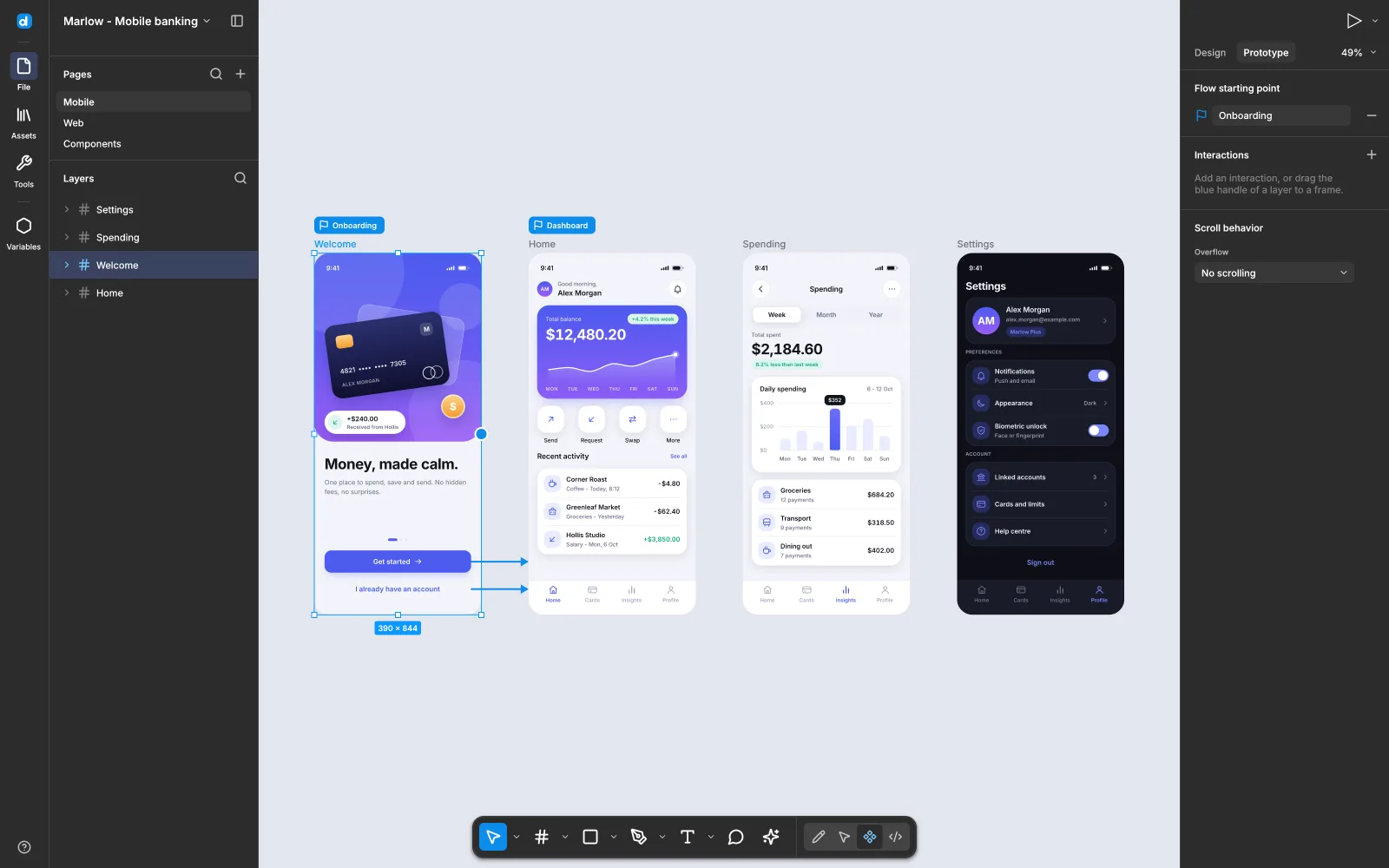
Prototype tab: the Welcome frame with connectors leading to the Home screen and flow start chips
Prototyping

Prototype what you draw

Drag from a hotspot to a frame, then refine triggers, actions, overlays and transitions with easing and springs. Present plays it back with Smart Animate.

  • Variables drive logic: Set variable, modes, If / Else
  • Hover and press states, key, gamepad and drag triggers
  • Video fills and interactive components
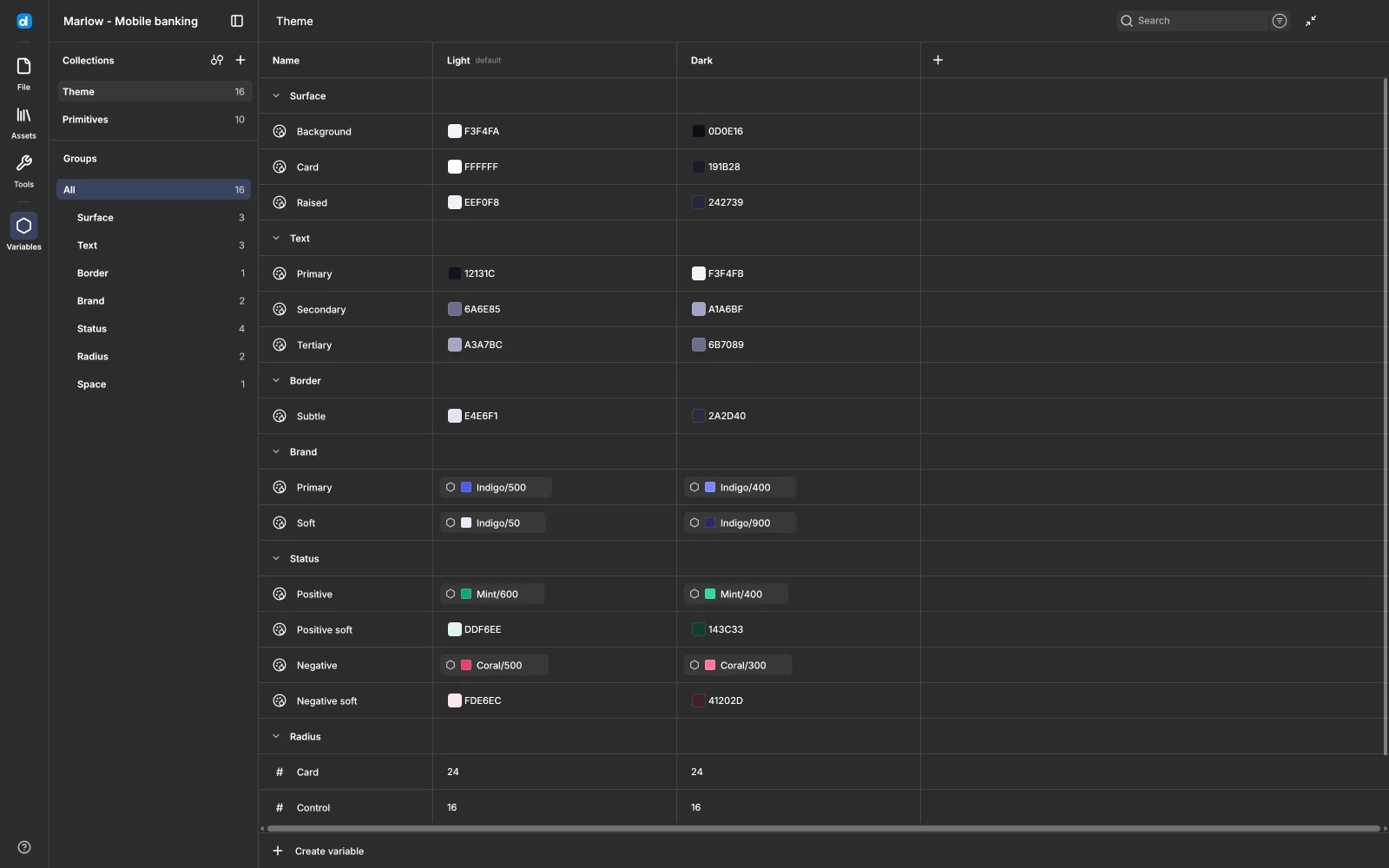
The Variables view: a Theme collection with Light and Dark modes, color aliases and number variables
Variables

Variables and modes

Color, number, string and boolean variables in collections with modes, bound to fills, strokes, sizes and spacing. Switch a frame to Dark and everything bound follows.

  • Aliases to primitives
  • Library variables and color styles in the same picker
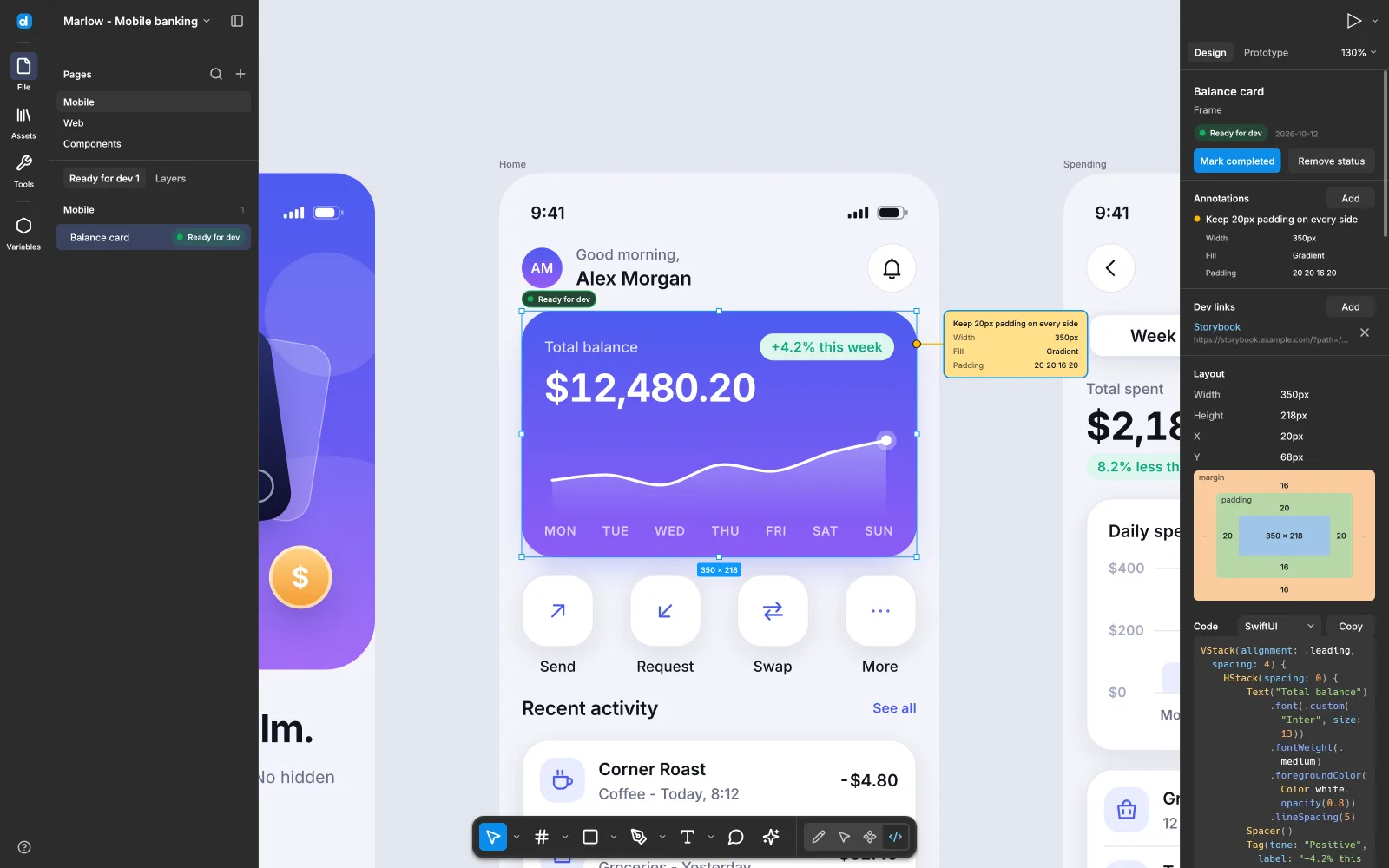
Dev mode with a card selected: Ready for dev status, annotations, box model and generated SwiftUI code
Dev mode

Hand off as code

Measurements, a box model and generated code in CSS, Tailwind, SwiftUI, Jetpack Compose or React. Mark frames Ready for dev, add annotations and links.

  • Export PNG, JPG, real vector SVG and PDF at any scale
  • Copy as PNG, SVG or CSS in one click
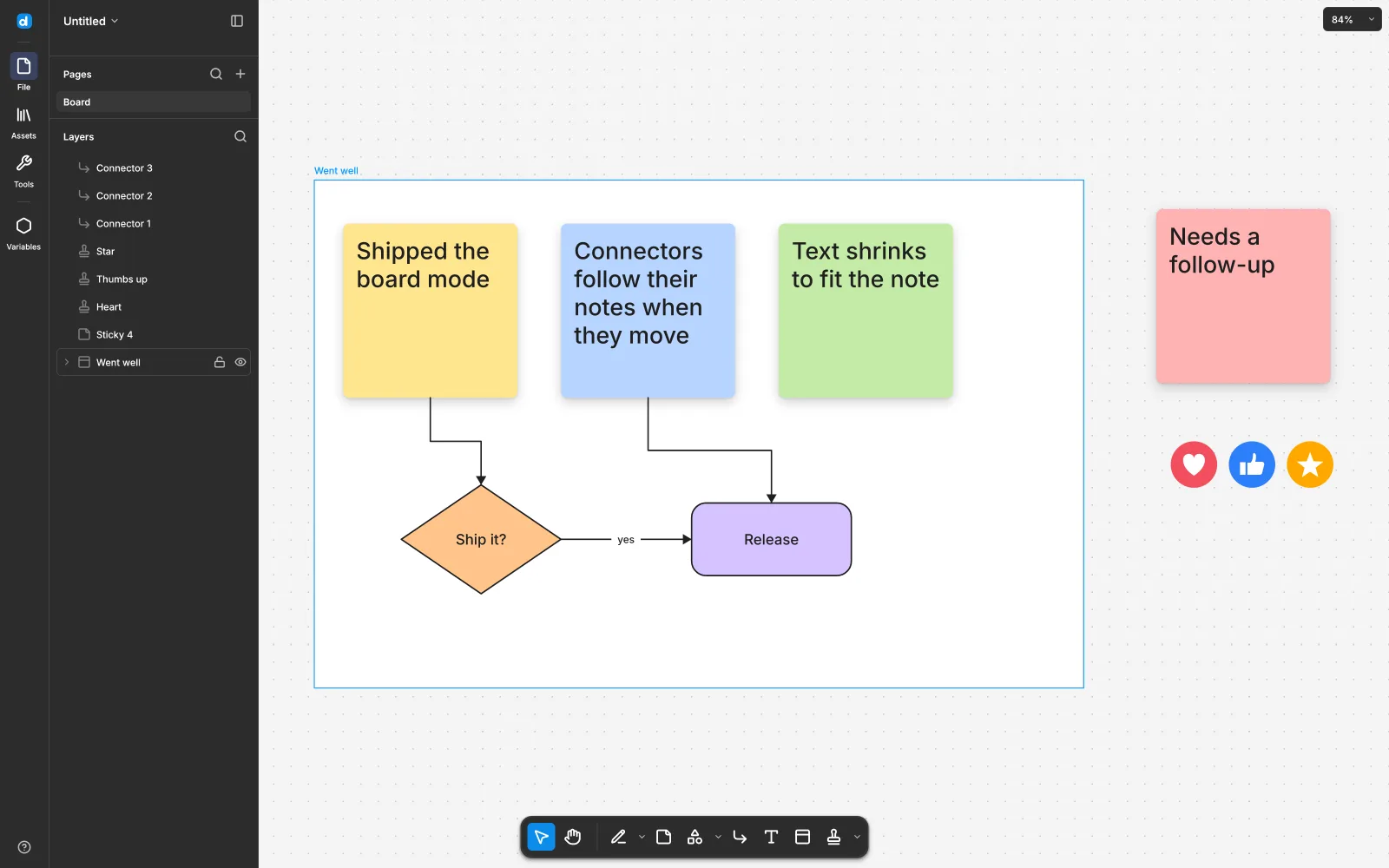
A whiteboard: sticky notes in a section, shapes joined by connectors, and stamps on a dotted canvas
Boards & decks

Boards for thinking out loud — decks for showing it

Whiteboards with stickies, connectors that route around shapes, marker and highlighter, code blocks, tables, timers and voting. FigJam files open as boards.

  • Decks: 16:9 slides, speaker notes, fullscreen Present
  • Export a slide or a whole deck to PDF
Motion · beta

Turn any page into a timeline.

An animated onboarding card made in desigma: a logo springs in, a payment card rises and tilts, chips glide in and the call to action bursts in

Keyframes on everything

Position, scale, rotation, size, opacity, radius, fill and stroke color, shadows and blur — with a motion path on the canvas.

Easing & springs

Hold, linear, ease, back curves, custom cubic-bezier and duration-based springs, per segment.

41 presets

Basic, Enter, Cycle and Exit presets that become editable clips: direction, delay, duration, repeat, yoyo.

Export & code

Animated GIF, WebM (AV1, pure Rust) or PNG sequences. Dev mode emits CSS keyframes, SwiftUI or Compose.

Live collaboration · beta

Share a link. Edit together. No account, no server.

Click Share, send the desigma://join/… link, and edit the same file live on Windows, macOS or Linux. Your copy of desigma hosts the session while the file stays open.

Peer to peer, encrypted

QUIC over iroh with NAT traversal; when a direct link is impossible, a public relay carries it — still end-to-end encrypted.

Merges per property

Two people changing color and position both keep their change. Inserts survive; a delete wins over an edit.

Your undo is yours

Undo only reverts your own edits — never a teammate's.

Cursors & follow

Cursors, selections and avatars in each person's color. Click an avatar to follow their view.

Host stays in control

Optional password, approval of each joiner, edit or view-only access, kick, stop sharing.

Files stay local

The session ends when the host closes the file. Guests can save a copy.

Files & agents

Open formats in. AI agents welcome.

Formats

Bring your files, take them anywhere

Figma .fig files are unpacked and decoded locally; REST JSON works too. Everything lands in one document model with exact undo.

In
.figFigJamFigma REST JSONSVG.desigma
Out
.desigmaPNG · JPG · SVG · PDFGIF · WebMREST JSON
MCP

A design tool your agents can drive

desigma-mcp is a local MCP server with 16 tools: import files, inspect layers and tokens, generate code, edit with undo/redo, animate and export. Turn on the agent bridge and the same tools edit the document open on screen — sharing its Undo.

# build the server, point your MCP client at it
cargo build --locked -p desigma-mcp
desigma-mcp --workspace /path/to/designs
Download

Get desigma — free, for every desktop.

All releases →
Early alpha. Much of the everyday design surface exists, but desigma is not yet a replacement for professional daily work. Builds are not code-signed yet: on Windows choose More info → Run anyway; on macOS open the app once, then System Settings → Privacy & Security → Open Anyway.
# or build from source
git clone https://github.com/deepfounder-ai/desigma
cd desigma
cargo run --release -p desigma-app               # the editor, with a demo document
cargo run --release -p desigma-app -- file.fig   # open a Figma file
On Android

Creative apps for Android tablets.

More from DeepFounder →